Write. Run. Ship.

IDE, terminal, deploy, and database in one place. From any device, without installing anything.
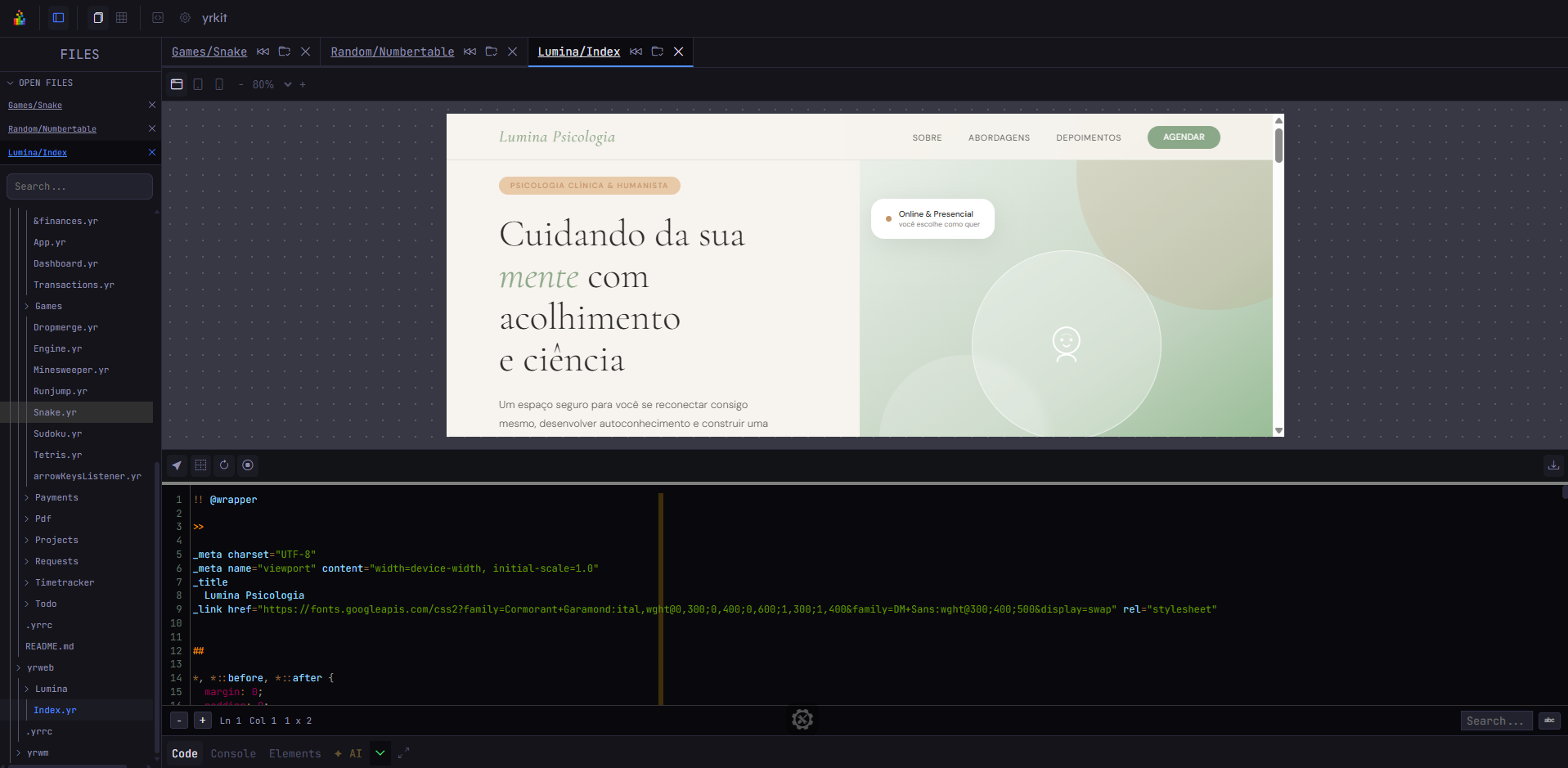
Yrkit — orionbot · IDE · Terminal · Deploy
Yrkit IDE in use
8
integrated tools
1
interface
0
installs needed
devices supported
Features

Everything in one tab.

Each tool is aware of the others. You never lose context when switching tasks.

screenshot — IDE + Terminal + SSH
01
IDE + Terminal + SSH
Full code editor, real PTY terminal, and SSH access — all in the same tab. Works on any device.
PTY SSH any language cloud save
gif — build → deploy in one click
02
Build, serve & deploy
Set up your pipeline once. Run it with one click. No external CI needed, no context switching.
CI/CD one click per project
screenshot — visual builder + live preview
03
Visual Builder
Click elements directly, change styles, export clean code. Live preview as you edit. Mix with code whenever you want.
drag & drop live preview export code
screenshot — database dashboard
04
Database
Deploy, configure, and monitor your database right inside the dashboard. No separate panel to open.
deploy monitoring integrated
screenshot — AI copilot with project context
05
AI Copilot
Full project context. Works with Claude and OpenAI. Suggests code, answers questions, understands your files.
Claude OpenAI project-aware
Yr Language

A language built
for the web.

Yr is an open-source templating language and component system made for building web projects — fast and clean. No framework overhead.

index.yr
1 // Lumina — psychology clinic
2
3 page title = "Lumina" :
4    hero bg = "#F5EEE6" :
5      h1 : "Care that transforms"
6      button href = "/book" : "Book a session"
7
8    section : include ( "about.yr" )
9    footer : include ( "footer.yr" )

What people say

Built by a developer.
Used by developers.

"I stopped opening five different terminals. Everything I need is in one tab now — editor, SSH, deploy. It just works."
JD
James D.
Freelance developer
"The Visual Builder is actually useful. I can switch between dragging and writing code in the same project without any friction."
MR
Maria R.
Web developer
"Being able to code from my phone and pick up exactly where I left off on my laptop — that's not something I expected to actually use, but I do."
AK
Alex K.
Solo founder

Pricing

Start free.
Scale when you need.

Free
$0
IDE with local saving. No login needed.
  • Cloud IDE
  • Any language
  • Local saving
  • Cloud save
  • AI Copilot
  • Deploy
Use for free
Light
$9 /mo
Cloud IDE with AI. For individual developers.
  • Cloud IDE + cloud save
  • Any language
  • AI Copilot
  • Git integrated
  • Visual Builder
  • Deploy + DB
Get Light
Pro
$23 /mo
Everything integrated. One project, all tools.
  • Everything in Light
  • Visual Builder
  • Database
  • CI/CD + Deploy
  • Terminal + SSH
  • Kanban + PM
Get Pro
Team
$49 /mo
Multiple projects. For teams.
  • Everything in Pro
  • Multiple projects
  • Direct dev access
  • Priority features
  • Dedicated support
Get Team

Fewer tabs.
More code.

From any device, anywhere. Nothing to install.

Open Yrkit for free →